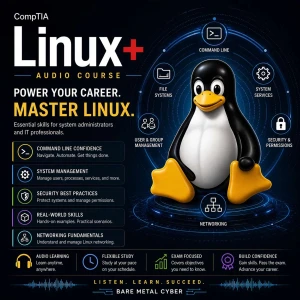
Certified: The CompTIA Linux+ Audio Course
This is an audio-first study course for the CompTIA Linux+ certification, aimed at working professionals who need practical skills rather than abstract theory. Episodes cover the commands, concepts, and workflows the exam expects, while emphasizing habits that keep real production systems stable. Listeners learn to verify assumptions, make safe changes, and troubleshoot with a calm, repeatable process. The goal is efficient study that sticks, so the knowledge carries over from the test into actual system administration work.
Episodes
Episode 1 — How Linux+ (XK0-006) tests you: domains, PBQs, pacing
Linux+ (XK0-006) evaluates whether you can translate concepts into admin decisions under time pressure, not whether you can recite trivia. This episode frames the exam as a set of domains that repeatedly test the same operational thinking: identify what the system is doing, confirm what “good” looks like, then apply the least-risk change that resolves the symptom. Performance-based questi
Episode 2 — Audio-only study method: recall loops, pause-and-answer drills, exam-day mindset
This episode teaches an audio-first study system built for Linux+ outcomes: rapid recall, command intent recognition, and decision-making under constraints. Instead of passive listening, you’ll use recall loops that force retrieval—hear a concept, pause, explain it in your own words, then resume to validate and correct. This matters for the exam because questions often pivot on subtle dif
Episode 3 — Boot flow story: bootloader → kernel → initrd/initramfs → userspace
Linux+ expects you to understand the boot process as a sequence of responsibilities, where each stage hands off control to the next. This episode walks the boot flow as a story: firmware selects a boot device, the bootloader loads a kernel and an initial filesystem, the kernel initializes core drivers and memory management, and initrd/initramfs provides the early userspace needed to reach
Episode 4 — Boot configs and kernel parameters: what they change and why it breaks
Kernel parameters and boot configuration are exam-relevant because they sit at the boundary between “system won’t start” and “system starts but behaves wrong.” This episode explains what boot configs control: which kernel boots, which initramfs is paired with it, which root filesystem is expected, and which runtime flags alter kernel behavior at the earliest moments. Linux+ questions ofte
Episode 5 — PXE boot in plain English: where it fits and what can fail
PXE boot is tested on Linux+ because it’s a clean example of network-based provisioning that relies on multiple services working in the right order. This episode explains PXE in plain English: a machine without a local OS asks the network for an IP address and boot instructions, downloads the bootloader or kernel artifacts, and then continues booting into an installer or live environment.
Episode 6 — FHS tour: why where things live matters on exam questions
The Filesystem Hierarchy Standard (FHS) shows up on Linux+ because “where” is often the clue to “what,” especially when questions compress a scenario into a few paths and log snippets. This episode teaches the FHS as a practical map of intent: binaries that run the system, configuration that defines behavior, variable data that changes during runtime, and user data that should be protecte
Episode 7 — Distros and packages: RPM-based vs dpkg-based thinking
Linux+ tests distribution awareness because real environments are mixed, and exam questions may describe commands, file locations, or package behaviors without naming the distro explicitly. This episode builds a clean mental model for RPM-based versus dpkg-based ecosystems as two families with similar outcomes: install software, manage dependencies, verify integrity, and keep systems patc
Episode 8 — Architectures and GUI stack: x86_64 vs AArch64, X vs Wayland, licensing basics
Architectures and desktop stacks are exam-relevant because they influence compatibility, performance expectations, and troubleshooting direction. This episode clarifies the difference between x86_64 and AArch64 in practical terms: instruction sets, common deployment contexts, and why binaries, kernel modules, and drivers must match the running architecture. Linux+ questions may present a
Episode 9 — Kernel modules: what they are, when they load, how to reason about them
Kernel modules matter on Linux+ because they explain how Linux supports diverse hardware and features without baking everything permanently into the kernel image. This episode defines modules as loadable pieces of kernel code that can be inserted or removed to provide drivers, filesystems, and capabilities, and it frames the key exam question: “is the kernel missing a feature, or is the f
Episode 10 — Hardware discovery mindset: CPU, memory, devices, and what looks wrong
Linux+ expects you to reason about hardware through the lens of symptoms and system reports, not through brand-specific knowledge. This episode teaches a hardware discovery mindset: start with what the OS believes is present, compare it to what should be present, then ask whether the discrepancy is detection, driver, configuration, or resource exhaustion. You’ll focus on the core categori
Episode 11 — initrd tools and custom hardware contexts: embedded and GPU use cases
Linux+ includes initrd/initramfs concepts because early boot is where “it worked yesterday” becomes “it can’t find root” after a kernel, driver, or storage change. This episode explains initrd tools as the mechanisms that assemble an early userspace tailored to your environment, packaging the modules and scripts required to detect hardware, initialize devices, and mount the real root file
Episode 12 — Storage mental model: block devices → partitions → filesystem → mount
Storage questions on Linux+ are easier when you treat storage as a layered model rather than a pile of commands. This episode builds the foundational chain: block devices provide raw capacity, partitions or logical volumes carve it into usable segments, filesystems organize data structures on top, and mounts attach those filesystems into a single directory tree. The exam frequently tests
Episode 13 — Partitioning decisions: MBR vs GPT, growth, identifiers, verification
Partitioning shows up on Linux+ because it blends design choices with operational consequences, and the exam likes to test whether you understand the tradeoffs rather than just the names. This episode compares MBR and GPT as partition table approaches that affect scalability, resilience, and compatibility, and it explains why modern systems often prefer GPT while legacy compatibility can
Episode 14 — Filesystems in practice: ext4 vs xfs vs btrfs vs tmpfs, when and why
Linux+ tests filesystem knowledge because different filesystems imply different behaviors under load, different recovery options, and different best practices for growth and snapshots. This episode compares ext4, xfs, btrfs, and tmpfs in practical terms, focusing on why an administrator would choose one over another and how those choices change troubleshooting. You’ll learn the exam-level
Episode 15 — LVM part 1: PV, VG, LV concepts and why LVM exists
Logical Volume Manager (LVM) is a recurring Linux+ topic because it represents modern storage management: flexible allocation, online growth, and abstraction that makes systems easier to evolve safely. This episode defines the core objects—physical volumes (PVs) as prepared disks or partitions, volume groups (VGs) as pooled capacity, and logical volumes (LVs) as the consumable slices pres
Episode 16 — LVM part 2: grow, extend, resize safely, and common failure patterns
Linux+ expects you to understand that “making storage bigger” is usually a sequence across layers, and LVM is where that sequence is most visible. This episode focuses on safe growth workflows: adding capacity to the pool, extending a logical volume, and then resizing the filesystem so the OS and applications can actually use the space. You’ll learn how to think about each step as a check
Episode 17 — RAID basics for Linux+: what it protects, what it doesn’t, status thinking
RAID is tested on Linux+ because it’s a classic reliability topic that can be misunderstood in dangerous ways. This episode clarifies what RAID is for: combining disks to improve redundancy, availability, or performance depending on the level, and presenting that combination as a logical device the OS can use. You’ll learn the exam-critical distinction between protection against a disk fa
Episode 18 — Mounting mastery: fstab, transient mounts, and avoiding boot-time surprises
Mounting is an essential Linux+ skill because Linux presents storage through the directory tree, and mounting mistakes are a common cause of boot failures and data confusion. This episode teaches mounting mastery by separating transient mounts from persistent mounts, then showing how /etc/fstab becomes the contract that defines what should mount at boot and how. You’ll learn why the exam
Episode 19 — Mount options that matter: security and stability tradeoffs
Linux+ questions often use mount options as the subtle detail that explains why a system is secure, fragile, fast, or failing. This episode introduces mount options as policy controls applied at the filesystem boundary, affecting execution, device handling, access times, ownership behaviors, and how the system reacts under error conditions. You’ll learn why mount options matter on the exa
Episode 20 — Network mounts overview: NFS vs SMB/Samba and what symptoms look like
Network mounts are on Linux+ because they test whether you can reason about shared storage as a service dependency, not just a directory. This episode explains NFS and SMB/Samba as two approaches to file sharing with different integration patterns, authentication expectations, and failure behaviors. You’ll learn exam-focused distinctions: how Linux clients typically consume each protocol,
Episode 21 — Capacity vs inodes: disk full when it isn’t, and the mental checklist
Linux+ frequently tests “disk full” scenarios because the correct answer depends on what is actually exhausted. This episode explains capacity versus inodes as two separate resources a filesystem can run out of: capacity is the storage space for data blocks, while inodes are the metadata objects that represent files and directories. When inodes are exhausted, you can see “No space left on
Episode 22 — Network troubleshooting workflow: link → IP → route → DNS → service bind
Linux+ network questions are easier when you use a consistent workflow that prevents you from skipping layers. This episode teaches the link → IP → route → DNS → service bind sequence as a repeatable diagnostic path: confirm the interface is up and negotiating correctly, confirm the host has a valid IP configuration, confirm routing can reach the target network, confirm name resolution re
Episode 23 — Name resolution internals: hosts, resolv.conf, nsswitch.conf, failure modes
Name resolution is a high-yield Linux+ topic because many “network outages” are actually identity lookups failing at the client. This episode explains name resolution as a layered decision process: the system chooses a lookup order, checks local sources, queries configured DNS servers, and returns an answer that applications then use for connections. You’ll learn why files like hosts, res
Episode 24 — Network tools by intent: test connectivity, inspect sockets, capture packets
Linux+ does not reward knowing every flag; it rewards knowing which tool to pick based on the question’s intent. This episode organizes network tools into three roles: connectivity tests that prove reachability and latency characteristics, socket inspection that proves what is listening and where traffic is going, and packet capture that shows what is actually on the wire when the other t
Episode 25 — Interface configuration concepts: NetworkManager vs Netplan, what changes where
Linux+ includes interface configuration because different distros manage network settings differently, and mistakes often persist across reboot in ways that confuse troubleshooting. This episode introduces NetworkManager and Netplan as two common approaches to expressing network intent, applying it via underlying components, and maintaining persistent configuration. You’ll learn to read e
Episode 26 — Shell environment essentials: PATH, HOME, PS1, and startup files
Linux+ tests shell environment knowledge because many “command not found” and “works for one user but not another” scenarios are really environment problems. This episode explains the environment as the context that shapes command behavior: PATH controls how executables are found, HOME anchors user-relative paths and config locations, and PS1 influences prompts but also signals which shel
Episode 27 — Redirection and pipes: how data flows through stdin, stdout, stderr
Redirection and pipelines are core Linux+ skills because they show whether you can control data flow rather than manually copy outputs. This episode explains stdin, stdout, and stderr as separate streams with different purposes, and it shows how redirection changes what happens to output and errors in both interactive and automated contexts. You’ll learn why the exam cares: many questions
Episode 28 — Text processing decision drill: grep, awk, sed, sort, uniq, cut, xargs in context
Linux+ expects you to choose the right text tool quickly, because administration is often “read a file, extract signals, transform output, feed a command.” This episode frames common text utilities by intent: grep finds patterns, cut extracts fields, sort orders data, uniq summarizes duplicates, awk interprets structured text, sed applies stream edits, and xargs turns output into argument
Episode 29 — Backups without labs: archive vs sync vs image, restore validation thinking
Linux+ tests backup concepts because administrators are expected to protect systems even when tooling varies across environments. This episode explains three backup categories in practical terms: archives bundle selected files and preserve metadata for portability, sync approaches mirror directory trees and prioritize ongoing change tracking, and images capture whole disk or volume states
Episode 30 — Virtualization basics: KVM/QEMU, VirtIO, and where performance comes from
Virtualization is on Linux+ because it’s common in modern infrastructure and because performance and compatibility often hinge on a few core concepts. This episode introduces KVM and QEMU as the foundational pieces that enable Linux hosts to run virtual machines efficiently, and it explains VirtIO as the paravirtualized device model that improves performance by reducing emulation overhead
Episode 31 — VM storage and lifecycle: images, snapshots, migrations, and network modes
Linux+ covers VM storage and lifecycle because operating virtual machines responsibly requires understanding how state is stored, preserved, and moved. This episode explains VM disk images as the persistent backing store for a guest, and it clarifies how snapshots capture point-in-time state for rollback or testing without being a substitute for backups. You’ll learn how exam questions de
Episode 32 — libvirt and virsh mental model: what these tools manage and how questions frame them
Linux+ expects you to recognize common virtualization management layers, and libvirt is a key abstraction that standardizes how VMs are defined and controlled. This episode builds a mental model: libvirt provides a management API and service that stores VM definitions and coordinates actions, while virsh is a command-line interface used to query and control that state. You’ll learn how ex
Episode 33 — File operations you’re tested on: create, move, copy, remove safely
Linux+ tests file operations because they are the foundation of administration and because small mistakes can cause real outages. This episode focuses on safe creation, movement, copying, and removal of files and directories, emphasizing how the exam expects you to reason about outcomes like overwriting, preserving attributes, and handling directories recursively. You’ll learn to interpre
Episode 34 — Finding things fast: locate vs find, and which tool fits decisions
Linux+ questions often compress a troubleshooting scenario into “you need to identify the file quickly,” and the correct tool depends on speed versus accuracy. This episode contrasts locate and find as two different approaches: locate searches an index for fast results, while find walks the filesystem in real time for authoritative results. You’ll learn why this distinction matters on the
Episode 35 — Links and metadata: hard vs symbolic, stat thinking, and why it matters
Links are a Linux+ staple because they reveal how Linux represents files and how administrators can design flexible paths without duplicating data. This episode explains hard links and symbolic links as two distinct mechanisms: hard links are additional directory entries pointing to the same inode, while symbolic links are special files that point to a path name. You’ll learn why the exam
Episode 36 — Users, groups, and identity: UID, GID, EUID, EGID explained simply
Linux+ tests identity concepts because permissions, auditing, and service behavior all depend on which identity the system believes is acting. This episode explains UID and GID as the core numeric identities for users and groups, then clarifies the “effective” identities—EUID and EGID—that determine what access checks actually use at runtime. You’ll learn why the exam emphasizes numbers,
Episode 37 — Account lifecycle: add, modify, delete, shells, and least-privilege habits
Account lifecycle management appears on Linux+ because administrators must create access cleanly, adjust it safely, and retire it without leaving security debt behind. This episode frames user and group changes as controlled operations: provisioning accounts with the right defaults, modifying attributes like group membership and shells to match job role, and deprovisioning in a way that p
Episode 38 — Password aging and lockouts: expiration, chage concepts, and common gotchas
Linux+ includes password aging and lockout behavior because access control is not just “set a password,” it is policy enforcement over time. This episode explains expiration, minimum and maximum password age, and warning periods as controls that shape how credentials are maintained and when users are forced to rotate. You’ll learn how tools like chage represent these controls conceptually
Episode 39 — Reading process reality: ps/top/htop/proc and what to look for first
Processes are central to Linux+ because nearly every troubleshooting scenario eventually becomes “what is running, under what identity, consuming what resources, and why.” This episode teaches you to read process reality using multiple viewpoints: ps for snapshot listings, top/htop for live behavior, and /proc as the authoritative source of per-process details like command line, open file
Episode 40 — Signals and job control: stop, continue, kill, foreground/background decisions
Linux+ tests signals and job control because administrators must manage running work safely, especially when a process is misbehaving but data integrity still matters. This episode explains signals as messages delivered to processes, with different intents such as requesting a clean shutdown, pausing execution, or forcing termination. You’ll learn how job control works in a shell session:
Episode 41 — Scheduling: cron vs anacron vs at, and choosing the right one
Scheduling is tested on Linux+ because automation is only reliable when you pick the right scheduler for the job’s timing and execution guarantees. This episode differentiates cron, anacron, and at by intent: cron runs tasks on a fixed schedule, anacron ensures periodic jobs run even if the system was powered off at the exact scheduled time, and at runs a task once at a specific time. You
Episode 42 — Packages vs source: dependencies, conflicts, and clean rollback thinking
Linux+ includes “packages versus source” because the choice affects maintainability, security updates, and incident response. This episode compares installing from distribution packages to building from source as two different operational models: packages provide managed dependencies, signature trust, and predictable upgrades, while source builds offer flexibility at the cost of manual de
Episode 43 — Repositories and trust: enabling/disabling, third-party risk, signatures, exclusions
Repositories are a Linux+ topic because they combine software supply chain trust with practical update management. This episode explains repositories as curated sources of packages and metadata, and it highlights why trust matters: the repository you enable determines what code can be installed and updated on your systems. You’ll learn how exam questions test repository management at a co
Episode 44 — Language ecosystems: pip vs cargo vs npm, and how they fail differently
Linux+ touches language ecosystems because modern systems often run software that is installed and updated outside the OS package manager. This episode compares pip, cargo, and npm as ecosystem-specific dependency managers that pull libraries, resolve versions, and install artifacts in ways that can differ dramatically from distribution packages. You’ll learn why the exam cares about “how
Episode 45 — Basic service configs at exam level: DNS, NTP, DHCP, HTTP, mail, what breaks
Linux+ tests basic service configuration because administrators must recognize what “healthy” looks like and identify the most likely break points when a service fails. This episode frames DNS, NTP, DHCP, HTTP, and mail as service categories with predictable dependencies: network reachability, correct binding, correct configuration, and correct permissions. You’ll learn how exam questions
Episode 46 — systemd units and targets: services, timers, mounts, targets, dependencies
systemd is a major Linux+ topic because it defines how modern Linux systems start, stop, and coordinate services with predictable dependency behavior. This episode introduces unit types as building blocks: services represent long-running processes, timers schedule work, mounts define filesystem attachment behavior, and targets group units into higher-level system states similar to runleve
Episode 47 — systemctl troubleshooting mindset: status, logs, daemon-reload, enable, mask patterns
Linux+ expects you to troubleshoot services using evidence, and systemctl is the primary interface for understanding systemd-managed state. This episode teaches a troubleshooting mindset centered on intent: confirm whether the unit is running, whether it is enabled to start at boot, what the last failure reason was, and what logs explain the behavior. You’ll learn why questions often hing
Episode 48 — Container fundamentals: runtimes and the image/container boundary
Containers are on Linux+ because they represent a mainstream way to package and run workloads, and they require you to think clearly about what is immutable versus what changes at runtime. This episode defines the image/container boundary: images are built artifacts that define filesystem layers and metadata, while containers are running instances that add writable state and runtime confi
Episode 49 — Image operations: pull, build, tag, layers, and Dockerfile directive behavior
Linux+ tests image operations because container usage depends on repeatable builds and predictable artifact management. This episode explains pull, build, and tag as lifecycle actions that determine where an image comes from, how it is constructed, and how it is referenced in deployments. You’ll learn why layers matter: images are assembled from cached build steps, and the order of those
Episode 50 — Running containers: env vars, logs, exec, inspect, and what each is for
Running containers is tested on Linux+ because day-to-day container administration is mostly about using the right runtime action for the right question. This episode organizes key runtime interactions by intent: environment variables shape application behavior without rebuilding images, logs reveal application and startup errors, exec lets you run commands inside a running container for
Episode 51 — Volumes and storage: persistence, mapping, overlay concepts, SELinux context awareness
Linux+ tests container storage because persistence is where many real container deployments go wrong. This episode explains how containers use a layered filesystem model: an image provides read-only layers, a container adds a writable layer, and volumes or bind mounts provide persistent storage outside the container’s ephemeral write layer. You’ll learn why this matters on the exam: if da
Episode 52 — Container networking: port mapping, network types, privileged vs unprivileged tradeoffs
Container networking is on Linux+ because it tests whether you understand isolation boundaries and how services are exposed safely. This episode explains port mapping as the mechanism that connects a container’s internal service port to a host-accessible port, and it frames network types as different connectivity models that determine what can reach what by default. You’ll learn why the e
Episode 53 — Linux auth story: PAM, polkit, and what controls what
Linux+ includes authentication and authorization because access control in Linux is a layered system, and questions often test whether you can identify which layer is responsible for a decision. This episode tells the Linux auth story using two key components: PAM as the pluggable framework that handles authentication and account policy checks for many login and privilege pathways, and po
Episode 54 — Identity integration concepts: SSSD, Winbind, realm basics, and where they fit
Identity integration appears on Linux+ because enterprise Linux rarely lives alone; it often consumes identities and policies from a central directory. This episode explains SSSD, Winbind, and realm concepts as ways Linux systems join or integrate with external identity providers, enabling centralized authentication, group membership, and policy enforcement. You’ll learn where these piece
Episode 55 — Directory-backed auth: LDAP vs Kerberos vs Samba, in exam language
Linux+ tests directory-backed authentication because understanding the roles of LDAP, Kerberos, and Samba prevents you from confusing “where identities are stored” with “how authentication happens.” This episode explains LDAP as a directory protocol used to query and store identity attributes, Kerberos as a ticket-based authentication system that proves identity without repeatedly sending
Episode 56 — firewalld mental model: zones, services vs ports, runtime vs permanent
Linux+ tests firewalld because it represents policy-driven firewall management where intent matters more than individual rule syntax. This episode builds a mental model around zones as trust boundaries applied to interfaces and sources, defining which traffic is allowed by default and which must be explicitly permitted. You’ll learn the difference between allowing a named service versus o
Episode 57 — ufw approach: rule intent, common mistakes, and why it blocks traffic
ufw appears on Linux+ as an approachable firewall interface that still requires you to think clearly about traffic direction and scope. This episode explains ufw as an intent-driven wrapper that manages underlying firewall rules, focusing on the core exam skill: translate a requirement into a precise allow or deny decision that matches protocol, port, and direction. You’ll learn how quest
Episode 58 — Audit basics: what auditd is for, and what audit rules capture
Linux+ includes audit basics because operational security depends on being able to answer “who did what, when, and how,” using evidence the system can produce. This episode introduces auditd as the Linux auditing subsystem that records security-relevant events based on rules, capturing details that are more structured and intentional than general application logs. You’ll learn the exam-le
Episode 59 — Logging pipeline: journald, rsyslog, logrotate, how logs stay useful
Logging is tested on Linux+ because logs are the primary evidence source for troubleshooting, security monitoring, and operational accountability. This episode describes the logging pipeline as a flow: journald collects and indexes structured logs from systemd-managed services and the kernel, rsyslog provides traditional syslog-style routing and forwarding, and logrotate manages retention
Episode 60 — Netfilter concepts: iptables, nftables, ipset, stateful thinking, rule intent
Linux+ includes Netfilter concepts because firewall behavior is ultimately about how the kernel processes packets, regardless of which front-end tool you use. This episode explains iptables and nftables as rule management approaches for Netfilter, and introduces ipset-style thinking as a way to manage groups of addresses or ports efficiently without writing repetitive rules. You’ll learn
Episode 61 — NAT and forwarding: DNAT, SNAT, PAT, ip_forward, troubleshooting frames
Linux+ tests NAT and forwarding because they are foundational to making Linux act as a router, gateway, or service exposure point, and misunderstandings create hard-to-diagnose connectivity failures. This episode explains DNAT as destination translation used for inbound redirection, SNAT as source translation used for outbound identity changes, and PAT as the practical “many-to-one” port-
Episode 62 — Sudo and privilege: sudoers structure, safe delegation, common misconfig patterns
Sudo is a high-yield Linux+ topic because it represents controlled privilege delegation, and many security failures are caused by sloppy sudoers design. This episode explains sudo as an authorization mechanism that grants specific privileged actions without requiring full-time root access, and it introduces sudoers structure as a policy language: who can run what, as which user, from whic
Episode 63 — Permissions and control: chmod, chown, special bits, umask, ACLs, file attributes
Linux+ tests permissions because they are the day-to-day control plane of a Linux system, and subtle distinctions determine whether access is secure or broken. This episode explains chmod and chown as the basic tools for setting mode bits and ownership, then expands into special bits that alter execution and directory behavior, umask as the default permission filter for newly created file
Episode 64 — SELinux and secure access: contexts, booleans, plus SSHD hardening and fail2ban themes
Linux+ includes SELinux because it adds mandatory access controls that can block actions even when traditional permissions look correct, and the exam expects you to reason about denials without disabling security. This episode introduces SELinux as a context-based policy system: files, processes, and ports have labels, and access decisions are based on those labels in addition to UID/GID
Episode 65 — Password policies and lockouts: complexity, history, pam_tally2 concepts
Password policy and lockout controls show up on Linux+ because they tie together authentication strength and operational resilience. This episode explains complexity rules and password history as mechanisms that reduce guessability and prevent rapid reuse, and it frames lockouts as controls that limit online guessing by temporarily blocking accounts after repeated failures. You’ll learn h
Episode 66 — Safer accounts: restricted shells, avoiding root habits, practical guardrails
Linux+ tests account hardening because real security posture is often decided by everyday habits: who logs in, what they can run, and how privilege is handled. This episode explains restricted shells as guardrails that limit interactive capabilities, reduce accidental damage, and constrain what a non-admin account can do even if it has credentials. You’ll learn why the exam cares about av
Episode 67 — Data at rest: GPG vs LUKS2, keys, and what good enough means
Linux+ includes data-at-rest protection because administrators must understand where encryption is applied and what is actually being protected. This episode compares GPG-style file encryption to LUKS2-style block device encryption as two different layers with different operational implications. You’ll learn the core exam distinction: GPG protects individual files or artifacts and is ofte
Episode 68 — Data in transit and certs: TLS stacks, WireGuard basics, hashing, weak algorithms
Linux+ tests data-in-transit protections because secure connectivity depends on understanding encryption, identity, and integrity in practical operational terms. This episode explains TLS as a stack that provides confidentiality and authentication through certificates, and it introduces WireGuard basics as a modern VPN approach that secures traffic between endpoints with a simpler operati
Episode 69 — Vulnerability and standards thinking: CVE/CVSS, OpenSCAP, CIS Benchmarks
Linux+ includes vulnerability and standards thinking because administrators must connect technical findings to risk decisions and repeatable hardening baselines. This episode explains CVEs as identifiers for known vulnerabilities and CVSS as a scoring approach that helps prioritize remediation, while emphasizing exam-relevant nuance: severity is not the same as risk, and environment conte
Episode 70 — Integrity and destruction: AIDE, rkhunter, verification, secure erase, supply chain, banners
Linux+ tests integrity and secure destruction because security is not only about preventing access, but also about proving trust and eliminating data safely when required. This episode introduces integrity verification as a concept: you establish a known-good baseline and then detect unexpected changes that could indicate tampering, compromise, or operational drift. You’ll learn exam-leve
Episode 71 — IaC overview: what problems it solves and how exams describe it
Linux+ includes Infrastructure as Code (IaC) because modern operations depends on repeatability, traceability, and the ability to rebuild systems reliably under change pressure. This episode frames IaC as a response to common operational pain: manual configuration drift, inconsistent environments, and deployments that cannot be reproduced when something breaks. You’ll learn how the exam d
Episode 72 — Ansible at exam depth: inventories, playbooks, modules, ad hoc, facts, agentless
Linux+ tests Ansible concepts because it represents a common, practical approach to configuration management and automation in Linux environments. This episode explains Ansible at exam depth: inventories define managed hosts and groups, playbooks describe desired tasks in an ordered, repeatable way, modules provide purpose-built actions that reduce scripting risk, and ad hoc commands enab
Episode 73 — Puppet at exam depth: classes, modules, facts, certificates, agent vs agentless
Linux+ covers Puppet concepts because configuration management is a core enterprise skill, and the exam expects you to recognize how agent-based systems differ from agentless approaches. This episode explains Puppet at exam depth: modules package reusable configuration, classes define how resources should be applied, and facts provide host-specific data that enables conditional behavior.
Episode 74 — OpenTofu and Terraform concepts: providers, resources, state, drift, APIs
Linux+ includes Terraform-style concepts because declarative provisioning has become a standard pattern, and the exam emphasizes the mental model more than brand-specific detail. This episode explains providers as the connectors to external APIs, resources as the described infrastructure objects, and state as the record of what has been created and what is expected to exist. You’ll learn
Episode 75 — CI/CD and GitOps: pipelines, shift-left testing, DevSecOps vocabulary
Linux+ tests CI/CD and GitOps vocabulary because modern Linux administration often happens through pipelines, not through manual terminal changes, and the exam expects you to understand the operational implications. This episode explains pipelines as automated stages that build, test, and deploy changes, and it frames GitOps as the approach where the desired state lives in version control
Episode 76 — Orchestration overview: Kubernetes objects plus Swarm and Compose mental models
Linux+ includes orchestration because modern workloads often run as distributed containers, and administrators must understand how desired state is defined and maintained across multiple nodes. This episode introduces orchestration as the layer that schedules workloads, manages scaling, handles restarts, and coordinates networking and storage beyond a single host. You’ll learn Kubernetes
Episode 77 — Bash script structure: shebang, execution, safety defaults, readability
Linux+ tests Bash scripting because automation is a core Linux skill, and the exam expects you to write or reason about scripts that behave predictably. This episode explains script structure starting with the shebang, which defines how the script is interpreted, and moving to execution mechanics like permissions, invocation patterns, and the difference between running a script and sourci
Episode 78 — Expansion and substitution: variables, quoting, subshells, command substitution
Expansion rules are high-yield on Linux+ because many scripting and command-line failures come from misunderstanding how the shell transforms text before a command runs. This episode explains variable expansion, command substitution, and subshell behavior in plain operational terms: the shell expands variables and substitutions first, then performs splitting and globbing unless you contro
Episode 79 — Conditionals: if, case, string vs numeric comparisons, common test flags
Linux+ tests conditionals because automation depends on making correct decisions with correct comparisons, and the exam often uses subtle differences to see if you understand what is being evaluated. This episode explains if and case as two ways to branch logic: if evaluates conditions and runs blocks based on true or false, while case matches patterns and is often safer for discrete valu
Episode 80 — Loops: for, while, until with real admin-style use cases
Loops are a Linux+ staple because they represent scalable administration: you apply a consistent operation to many files, users, hosts, or checks without manual repetition. This episode explains for, while, and until as different loop types selected by intent: for iterates over a set of values, while repeats as long as a condition remains true, and until repeats until a condition becomes
Recommended

World News Tonight with David Muir
The Joe Rogan Experience

English Vocabulary Help
TED Talks Daily

Learn English B1 with Daily News | English Listening Practice

Talk About Talk - Executive & Leadership Communication Skills

English with Olivia | Slow Conversations & Vocabulary

Stand In The Circle

SLOW ENGLISH PODCAST (A1-A2) With Subtitles | Daily Videos | English With Us Podcast

Learn English A2 with Daily News | Simple English Listening Practice

پلی لیست | PlayList

Conspiracy Files with Paige Carter
