
SharePoint Maven Podcast
Podcast that offers quick SharePoint tips, designed for both administrators and everyday users. Host Greg Zelfond provides step-by-step tutorials, updates, and helpful information about SharePoint and Microsoft 365. The show aims to make SharePoint less overwhelming and build listener confidence. Each episode is short, like a coffee break.
Episodes

Folders vs. Metadata in SharePoint: When to Use Each
In this episode, I compare folders and metadata in SharePoint and walk through the pros and cons of each approach. I explain where folders still make perfect sense, where metadata gives you a real advantage, and why the right answer for most organizations is a mix of both.BLOG REFERENCESFolders vs. MetadataNEED HELP?Want to confidently navigate SharePoint and Microsoft 365? Enroll in my revamped O
7 Ways to Create a Microsoft Form
In this episode, I walk through the seven different ways to create a form in the Microsoft Forms application, from starting with a blank form or a template to uploading a Word or PDF document, using Copilot, building from a SharePoint list, or setting one up for Excel. I explain when each option makes the most sense so you can pick the fastest route for what you need.BLOG REFERENCES7 ways to creat

Microsoft Lists vs. Excel: When Lists Wins
In this episode, I compare Microsoft Lists and Excel and explain which one to reach for depending on what you are tracking. I walk through the advantages Lists brings to everyday business data, and the situations where Excel is still the better choice.BLOG REFERENCESLists vs. ExcelNEED HELP?Want to confidently navigate SharePoint and Microsoft 365? Enroll in my revamped On-Demand SharePoint and Mi

How to Launch a SharePoint Intranet in 5 Weeks
In this episode, I walk through my five-week plan for implementing a SharePoint intranet - what happens each week, from kick-off and prototype through branding, site build, admin and site owner training, and go-live. I also cover the assumptions that make this timeline realistic.BLOG REFERENCESHow to implement SharePoint Intranet in 5 weeksNEED HELP?Want to confidently navigate SharePoint and Micr
8 Ways to Improve Your SharePoint Site Design
In this episode, I share 8 proven ways to improve the design of your SharePoint site - flexible sections, background images, design ideas, dividers and spacers, custom themes and fonts, and extended headers and footers. No code, no designer, just features already sitting in your tenant.BLOG REFERENCES8 Proven Ways to Improve Your SharePoint Site DesignNEED HELP?Want to confidently navigate SharePo

3 Ways to Send Praise with Viva Insights
In this episode, I explain how to send praise and recognition to colleagues using Viva Insights. I walk through the three ways to do it - the Viva Insights app, Microsoft Teams, and the Praise card on the Viva Connections dashboard - and what you need licensed for it to work.BLOG REFERENCESHow to Send Praise to Colleagues Using Viva InsightsNEED HELP?Want to confidently navigate SharePoint and Mic

How to Build a File Upload Intake Form in SharePoint
In this episode, I explain how to create an intake form for file uploads in SharePoint - a simple way to collect documents along with the metadata you actually need. I walk through how to set it up, why required fields finally work here, and the limitations you need to know before you roll it out.BLOG REFERENCESCreate an Intake Form for File Uploads in SharePointNEED HELP?Want to confidently navig

The 8 Pillars of a Solid SharePoint Information Architecture
In this episode, I walk through the 8 core pillars of a successful SharePoint information architecture - flat architecture, site types, the number of sites and libraries, metadata versus folders, hub sites, search and Copilot, and security. I explain why each decision matters and what happens when you get it wrong.BLOG REFERENCES8 Core Pillars of a Successful SharePoint Information ArchitectureNEE
Understanding the 6 Security Groups in the SharePoint Admin Center
In this episode, I explain the six security groups you see in the SharePoint Admin Center: Site Visitors, Site Members, Site Owners, Site Collection Admins, Group Members, and Group Owners. I cover which ones show up on which type of site, and which ones you should actually be using to manage access.BLOG REFERENCESThe 6 Security Groups in SharePoint Admin Center explainedNEED HELP?Want to confiden

The Site Assets Library in SharePoint: Are You Using It Right?
In this episode, I explain what the Site Assets Library in SharePoint really is and walk through the 15 types of content that quietly end up in it - from logos and header images to page images, videos, and web part backgrounds. I also cover why old assets stick around and why you should never delete this library.BLOG REFERENCESWhat is the Site Assets Library in SharePoint?NEED HELP?Want to confide
The Top 5 SharePoint Mistakes Users Make
In this episode, I walk through the top five mistakes I see users make in SharePoint - from dumping everything into one library and syncing too much, to wrong permissions, the wrong site types, and skipping user training - and I share how to avoid each one.BLOG REFERENCESTop 5 User Mistakes in SharePointNEED HELP?Want to confidently navigate SharePoint and Microsoft 365? Enroll in my revamped On-D

CAD Files in SharePoint: 6 Limitations You Need to Know
In this episode, I explain why SharePoint isn't the best home for your CAD and AutoCAD files. I walk through six key limitations - from native app access and file dependencies to co-authoring, file size, OneDrive Sync, and search — and share what I recommend instead.BLOG REFERENCESThe Limitations of Storing CAD Files in SharePointNEED HELP?Want to confidently navigate SharePoint and Microsoft 365?

Stop Overwriting Each Other: How SharePoint Check Out Actually Works
In this episode, I explain how the Check Out feature in SharePoint works - what it does, when to use it instead of co-authoring, and how it helps you control edits, prevent overwrites, and avoid sync conflicts.BLOG REFERENCESHow the SharePoint Check out feature worksNEED HELP?Want to confidently navigate SharePoint and Microsoft 365? Enroll in my revamped On-Demand SharePoint and Microsoft 365 Aca
The Site Pages Library: Where All Your SharePoint Pages Actually Live
In this episode, I explain what the Site Pages Library in SharePoint is, where to find it, the five types of content stored inside it, and the key nuances that make it different from a regular document library.BLOG REFERENCESWhat Is the Site Pages Library in SharePoint?NEED HELP?Want to confidently navigate SharePoint and Microsoft 365? Enroll in my revamped On-Demand SharePoint and Microsoft 365

Planner Premium Explained: What It Is and Why It Replaced Project for the Web
In this episode, I explain what Planner Premium is, how it differs from regular Planner, and why it's really the rebranded Project for the Web - now evolving with Copilot and new capabilities.BLOG REFERENCESWhat is Planner Premium?NEED HELP?Want to confidently navigate SharePoint and Microsoft 365? Enroll in my revamped On-Demand SharePoint and Microsoft 365 AcademyFREE RESOURCESGet access to free

Don't Delete That Library: What Makes SharePoint's Default Document Library Special
In this episode, I explain why every SharePoint site comes with a default document library, why you can't delete it, and the key rules to follow so you don't break your site or your Teams workspace.BLOG REFERENCESWhy you need the default document library on a SharePoint siteNEED HELP?Want to confidently navigate SharePoint and Microsoft 365? Enroll in my revamped On-Demand SharePoint and Microsoft
6 Powerful Web Parts to Create Click-Worthy Calls to Action in SharePoint
Want users to take action on your SharePoint pages? In this episode, I break down 6 web parts you can use to create compelling calls to action.BLOG REFERENCES6 Web Parts to create a Call to Action in SharePointNEED HELP?Want to confidently navigate SharePoint and Microsoft 365? Enroll in my revamped On-Demand SharePoint and Microsoft 365 AcademyFREE RESOURCESGet access to free resources, live trai

6 Smart Ways to Build an FAQ in SharePoint & Microsoft 365
Looking to create an effective FAQ in SharePoint or Microsoft 365? In this episode, I explore six practical ways to build and organize FAQs, from simple SharePoint pages and lists to more dynamic solutions using Copilot AI.BLOG REFERENCES6 ways to create FAQ in SharePoint and Microsoft 365NEED HELP?Want to confidently navigate SharePoint and Microsoft 365? Enroll in my revamped On-Demand SharePoin
5 SharePoint Migration Mistakes That Can Derail Your Implementation
Migrating to SharePoint? In this episode, I cover the 5 most common mistakes organizations make, from poor information architecture to confusing SharePoint with OneDrive or Teams, disabling external sharing, and skipping user training.BLOG REFERENCES5 Mistakes to avoid when migrating to SharePointNEED HELP?Want to confidently navigate SharePoint and Microsoft 365? Enroll in my revamped On-Demand S

Introducing LookBook 365: Where SharePoint Ideas Come to Life
In this episode, I introduce my LookBook 365 Portfolio site. I walk through the inspiration behind it, how it showcases real-world SharePoint design ideas, and how you can use it as a reference when building your own intranet or solutions. If you’re looking for practical examples and visual inspiration, this is for you.BLOG REFERENCESIntroducing LookBook 365NEED HELP?Want to confidently navigate S

Stop Hunting for Files: Why You Should Pin SharePoint Libraries to Quick Access
In this episode, I explain why pinning a document library to Quick Access is one of the simplest yet most overlooked productivity tips in SharePoint. I cover how it works, when to use it, and how it can save you time navigating files every day.BLOG REFERENCESWhy do you need to pin a library to Quick Access?NEED HELP?Want to confidently navigate SharePoint and Microsoft 365? Enroll in my revamped O

Stop Guessing Permissions: 5 Places Where SharePoint Security Is Actually Set
In this episode, I break down the five key locations where SharePoint security is configured.BLOG REFERENCES5 Locations where you can set security in SharePointNEED HELP?Want to confidently navigate SharePoint and Microsoft 365? Enroll in my revamped On-Demand SharePoint and Microsoft 365 AcademyFREE RESOURCESGet access to free resources, live training & On-Demand courses, and get the help you

Stop Losing Files: 5 Powerful Benefits of Version History in SharePoint
In this episode, I explain why SharePoint version history is one of the most underrated features in Microsoft 365. I walk through five key benefits of version history and how it helps protect files, improve collaboration, and save you from costly mistakes.BLOG REFERENCES5 Benefits of Version History in SharePointNEED HELP?Want to confidently navigate SharePoint and Microsoft 365? Enroll in my reva

Stop Wasting Time on SharePoint Manuals: Here’s What Actually Works
In this episode, I explain why traditional SharePoint training manuals often fail and don’t deliver real value. I share what actually helps users learn SharePoint effectively and how organizations can rethink training to drive real adoption.BLOG REFERENCESWhy SharePoint Training Manuals Are a Waste of TimeNEED HELP?Want to confidently navigate SharePoint and Microsoft 365? Enroll in my revamped On

Stop Struggling with Forms: 6 Easy Ways to Add Microsoft Forms to SharePoint
In this episode, I walk through six different ways to add a Microsoft Form to a SharePoint site. I explain where each option works best, the limitations to watch out for, and how to choose the right method for your scenario.BLOG REFERENCES6 ways to add a Microsoft Form to a SharePoint SiteNEED HELP?Want to confidently navigate SharePoint and Microsoft 365? Enroll in my revamped On-Demand SharePoin
Understanding the 5 Types of Plans in Microsoft Planner
In this episode, I break down the five different types of plans available in Microsoft Planner. From personal task tracking to Microsoft 365 Group collaboration and premium planning features, I explain what each plan type is and when to use it.BLOG REFERENCES5 Types of Plans in PlannerNEED HELP?Want to confidently navigate SharePoint and Microsoft 365? Enroll in my revamped On-Demand SharePoint an

SharePoint’s New Versioning Settings - Are You Using Them Right?
In this episode, I walk you through the updated version history settings in SharePoint Online, how to configure them, what new options Microsoft added, and how to get control over versioning and storage before it spirals out of hand.BLOG REFERENCESHow to manage Version History settings in SharePointNEED HELP?Want to confidently navigate SharePoint and Microsoft 365? Enroll in my revamped On-Demand

Got offices around the globe? Here are 5 easy ways to show them in SharePoint.
In this episode, I walk you through five simple and effective methods to display office locations in SharePoint, from interactive maps to clean list galleries and location pages.BLOG REFERENCES5 Ways to Display Office Locations in SharePointNEED HELP?Want to confidently navigate SharePoint and Microsoft 365? Enroll in my revamped On-Demand SharePoint and Microsoft 365 AcademyFREE RESOURCESGet acce

Struggling with Messy SharePoint Navigation? Here Are 12 Ways to Fix It.
In this episode, I break down 12 practical, real-world ways to improve navigation in SharePoint Online, from simplifying your hub structure to cleaning up your menus, organizing content, and making it easier for users to actually find what they need.BLOG REFERENCESSharePoint Online Navigation Best PracticesNEED HELP?Want to confidently navigate SharePoint and Microsoft 365? Enroll in my revamped O

Want Smarter Metadata in SharePoint? Discover the Term Store’s 14 Power Features.
In this episode, I dive into the top 14 features of the SharePoint Term Store — from hierarchical tagging and synonyms to multi-language support and global reuse. If you’ve ever struggled with inconsistent metadata or messy libraries, this episode shows you how Term Store can turn SharePoint into a well-organized, enterprise-ready system.BLOG REFERENCESTop 14 Features of the SharePoint Term StoreN
Need Better Collaboration for Your Nonprofit? Try SharePoint.
In this episode, I explain why SharePoint is a powerful, affordable platform for nonprofits — from centralized document storage and secure access to better volunteer coordination and streamlined workflows. If your nonprofit is juggling files, volunteers, and projects. This might be the tool you’ve been looking for.BLOG REFERENCESWhy SharePoint makes sense for nonprofitsNEED HELP?Want to confidentl
Want to Work Smarter in SharePoint? Try These 4 Copilot Commands.
In this episode, I walk you through four powerful Copilot commands you can start using today - like Summarize, Ask a Question, Compare, and Generate FAQ - to get more done in SharePoint and OneDrive with less effort.BLOG REFERENCES4 Copilot commands to use right away with SharePointNEED HELP?Want to confidently navigate SharePoint and Microsoft 365? Enroll in my revamped On-Demand SharePoint and M
Planning a SharePoint Rollout? Avoid These 5 Critical Mistakes.
In this episode, I walk you through the 5 biggest don’ts I’ve seen in SharePoint implementations, so you can skip the common pitfalls and set up your environment right the first time.BLOG REFERENCES5 Don’ts of SharePoint ImplementationNEED HELP?Want to confidently navigate SharePoint and Microsoft 365? Enroll in my revamped On-Demand SharePoint and Microsoft 365 AcademyFREE RESOURCESGet access to

Want WordPress-Style Layouts in SharePoint? Try Flexible Sections.
In this episode, I break down SharePoint’s new Flexible Sections - a simple but powerful feature that finally gives you the layout freedom you’ve always wanted. If you’ve ever wished SharePoint pages looked more like WordPress, this update is for you.BLOG REFERENCESFlexible Sections in SharePointNEED HELP?Want to confidently navigate SharePoint and Microsoft 365? Enroll in my revamped On-Demand Sh

Task Management in Microsoft 365: What Are Your Options?
Need to manage tasks but not sure where to start? In this episode, I walk through the different task management tools available in SharePoint and Microsoft 365, from Planner to Lists to To Do, so you can pick the right one for your team.BLOG REFERENCESTask Management Options in SharePoint and Microsoft 365NEED HELP?Want to confidently navigate SharePoint and Microsoft 365? Enroll in my revamped On

5 Truths About Learning SharePoint (That No One Tells You)
Learning SharePoint isn’t always easy or fast. In this episode, I share five real-world truths about what it actually takes to learn SharePoint, so you can manage your expectations and set yourself up for success.BLOG REFERENCES5 Realities of Learning SharePointNEED HELP?Want to confidently navigate SharePoint and Microsoft 365? Enroll in my revamped On-Demand SharePoint and Microsoft 365 AcademyF

Team Site Makeover: 10+ Web Parts to Bring It to Life
Not sure what to add to your SharePoint Team Site? In this episode, I share some of my favorite web parts to make your site more functional, collaborative, and visually engaging.BLOG REFERENCESWeb Part Ideas for a Team SiteNEED HELP?Want to confidently navigate SharePoint and Microsoft 365? Enroll in my revamped On-Demand SharePoint and Microsoft 365 AcademyFREE RESOURCESGet access to free resourc

Rolling Out SharePoint? Here’s the Right Way to Do It.
Implementing SharePoint in your organization isn’t just about spinning up sites, it’s about doing it right. In this episode, I share best practices to make your SharePoint rollout smooth, scalable, and user-friendly from day one.BLOG REFERENCESHow to implement SharePoint in your organization – Best PracticesNEED HELP?Want to confidently navigate SharePoint and Microsoft 365? Enroll in my revamped

Calendars in SharePoint & Microsoft 365: What Are Your Options?
Looking to add a calendar to your SharePoint site? In this episode, I walk you through the various calendar options available in SharePoint and Microsoft 365, and help you pick the right one for your needs.BLOG REFERENCESAn overview of the Calendar Options in SharePoint and Microsoft 365NEED HELP?Want to confidently navigate SharePoint and Microsoft 365? Enroll in my revamped On-Demand SharePoint

Private & Shared Channel Sites: Handle with Care!
Private and Shared channels in Teams come with their own SharePoint sites, and they’re not your average sites. In this episode, I explain why you should think twice before messing with them, and what risks you need to know before making changes.BLOG REFERENCESWhy you should never mess with Private and Shared Channel SharePoint SitesNEED HELP?Want to confidently navigate SharePoint and Microsoft 36

Is SharePoint Secure? Let’s Break It Down.
One of the most common questions I get is: “Is SharePoint secure?” In this episode, I explain how Microsoft secures your data, what you’re responsible for as an admin, and how to keep your SharePoint environment protected from accidental or intentional risks.BLOG REFERENCESIs SharePoint Secure?NEED HELP?Want to confidently navigate SharePoint and Microsoft 365? Enroll in my revamped On-Demand Shar

Tame the Chaos: SharePoint Document Management Best Practices
Managing documents in SharePoint doesn't have to be messy. In this episode, I share key best practices to keep your files organized, searchable, secure, and collaboration-friendly, without turning SharePoint into a digital junk drawer.BLOG REFERENCESSharePoint Document Management Best PracticesNEED HELP?Want to confidently navigate SharePoint and Microsoft 365? Enroll in my revamped On-Demand Shar

Microsoft 365 Groups Explained (Without the Headache)
Ever wonder what a Microsoft 365 Group actually is? In this episode, I break it down in plain English (with a bit of my Eastern European accent), what it is, what it gives you, and how it connects apps like SharePoint, Teams, Outlook, and more.BLOG REFERENCESWhat is a Microsoft 365 Group?NEED HELP?Want to confidently navigate SharePoint and Microsoft 365? Enroll in my revamped On-Demand SharePoint

Why SharePoint Isn’t Meant for Public Websites (and What to Use Instead)
Thinking about using SharePoint for your public-facing website? Sorry, you are out of luck.BLOG REFERENCESWhy you can’t use SharePoint as a public webNEED HELP?Want to confidently navigate SharePoint and Microsoft 365? Enroll in my revamped On-Demand SharePoint and Microsoft 365 AcademyFREE RESOURCESGet access to free resources, live training & On-Demand courses, and get the help you need to p

Guests Welcome! 3 Ways to Set Up Access in SharePoint & Teams.
Need to give clients or partners access to your SharePoint site or Teams? In this episode, I walk through three ways to set up guest access - so you can collaborate securely without overcomplicating things.BLOG REFERENCES3 ways to set up guest access for a SharePoint Site or TeamsNEED HELP?Want to confidently navigate SharePoint and Microsoft 365? Enroll in my revamped On-Demand SharePoint and Mic

SharePoint for Frontline Workers: How to Make It Work
Think SharePoint is just for desk jobs? Think again! In this episode, I share how to make SharePoint accessible and useful for non-office workers like retail staff, field crews, and frontline teams - so everyone stays connected.BLOG REFERENCESHow to make SharePoint available to non-office workersNEED HELP?Want to confidently navigate SharePoint and Microsoft 365? Enroll in my revamped On-Demand Sh
User Left the Company - What Happens to Their SharePoint Files?
When someone leaves your organization, what happens to all the files they created in SharePoint and OneDrive? In this episode, I explain how Microsoft 365 handles that data.BLOG REFERENCESWhat happens to SharePoint Files when the user leaves the organization?NEED HELP?Want to confidently navigate SharePoint and Microsoft 365? Enroll in my revamped On-Demand SharePoint and Microsoft 365 AcademyFREE

Want to Master SharePoint? Here’s How to Learn It Fast
Looking to level up your SharePoint skills? In this episode, I share the best ways to learn SharePoint - whether you’re just starting out or want to become a true power user.BLOG REFERENCESBest ways to learn SharePointNEED HELP?Want to confidently navigate SharePoint and Microsoft 365? Enroll in my revamped On-Demand SharePoint and Microsoft 365 AcademyFREE RESOURCESGet access to free resources, l

Boost Your Productivity: Top 5 Microsoft Teams Apps to Try
Want to get more out of Microsoft Teams? In this episode, I share my top 5 favorite apps you can add to Teams to streamline work, save time, and keep your team productive.BLOG REFERENCESTop 5 Microsoft Teams Apps you can add to increase productivityNEED HELP?Want to confidently navigate SharePoint and Microsoft 365? Enroll in my revamped On-Demand SharePoint and Microsoft 365 AcademyFREE RESOURCES

Sharing with Guests? Best Practices for External Sharing in SharePoint
Planning to share files or sites with people outside your organization? In this episode, I cover the best practices for external sharing in SharePoint Online - so you can keep your data secure while making collaboration easy.BLOG REFERENCESSharePoint Online External Sharing Best PracticesNEED HELP?Want to confidently navigate SharePoint and Microsoft 365? Enroll in my revamped On-Demand SharePoint

Checklists Made Easy: 7 Ways to Create Them in SharePoint & Microsoft 365
Need to build a checklist for your team? In this episode, I share seven different ways you can create checklists using SharePoint and Microsoft 365 tools—so you can stay organized no matter what your task or project needs.BLOG REFERENCES8 ways to create a checklist in SharePoint and Microsoft 365NEED HELP?Want to confidently navigate SharePoint and Microsoft 365? Enroll in my revamped On-Demand Sh

Retention Labels in Purview: 3 Key Settings You Need to Know
Not sure how to set up retention labels properly? In this episode, I break down the three main settings in Microsoft Purview retention labels, explaining what each does and how they help you manage content lifecycle and compliance with ease.BLOG REFERENCES3 Retention Label Settings in Microsoft PurviewNEED HELP?Want to confidently navigate SharePoint and Microsoft 365? Enroll in my revamped On-Dem

Do You Really Need to Back Up SharePoint Online?
Is Microsoft handling your backups — or should you be doing more? In this episode, I break down what’s built into SharePoint Online, what it protects you from, and whether a third-party backup is worth considering.BLOG REFERENCESDo we need to back up documents in SharePoint Online?NEED HELP?Want to confidently navigate SharePoint and Microsoft 365? Enroll in my revamped On-Demand SharePoint and Mi

Running Out of SharePoint Storage? Here’s Where to Put Your Files.
Running low on SharePoint storage and not sure what to do next? In this episode, I share practical options for storing files outside of SharePoint — without losing access, security, or control.BLOG REFERENCESWhere to store files when you run out of Storage in SharePoint OnlineNEED HELP?Want to confidently navigate SharePoint and Microsoft 365? Enroll in my revamped On-Demand SharePoint and Microso
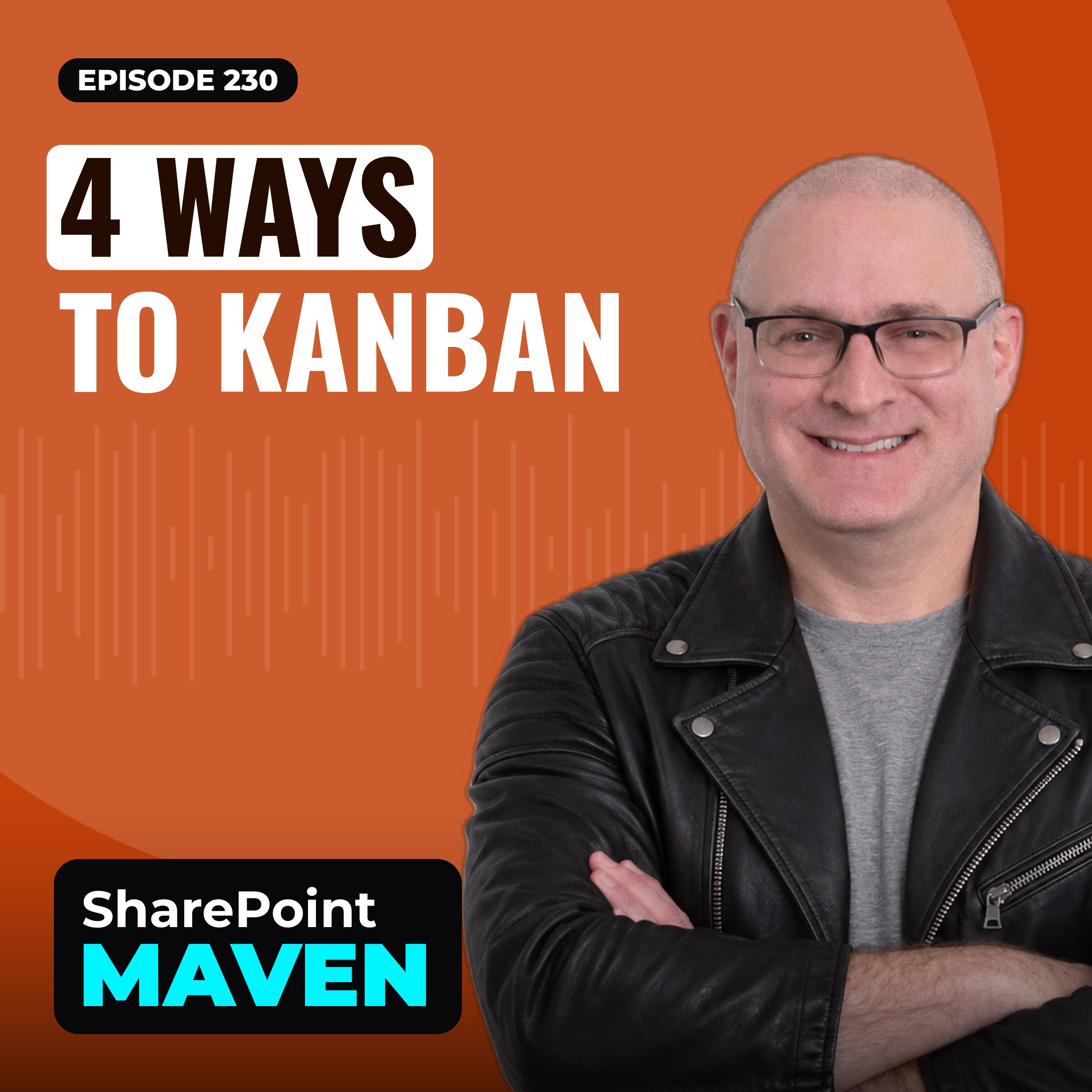
Kanban in Microsoft 365: 4 Easy Ways to Visualize Your Work
Love Kanban boards? So do I! In this episode, I cover four different ways you can build Kanban-style boards using Microsoft 365 tools like Planner, Lists, and more — so you can manage tasks visually and stay organized.BLOG REFERENCES4 ways to create Kanban Boards in Microsoft 365NEED HELP?Want to confidently navigate SharePoint and Microsoft 365? Enroll in my revamped On-Demand SharePoint and Micr

When Does Retention Start? 4 Options You Need to Know.
Not sure when your retention period actually kicks in? In this episode, I walk through the four options Microsoft Purview gives you to define the start of the retention clock — and how each one can impact your compliance strategy.BLOG REFERENCES4 Options that define the Start of the Retention PeriodNEED HELP?Want to confidently navigate SharePoint and Microsoft 365? Enroll in my revamped On-Demand

Top 5 Loop Components You Should Be Using
Loop is changing the way we collaborate in Microsoft 365 — and in this episode, I highlight my top 5 favorite Loop components. From task lists to voting tables, find out which ones can save you time and boost productivity across Teams, Outlook, and beyond.BLOG REFERENCESTop 5 Loop ComponentsNEED HELP?Want to confidently navigate SharePoint and Microsoft 365? Enroll in my revamped On-Demand SharePo

Retention’s Over - Now What? 5 Options for Your SharePoint Content.
What happens to your files after the retention period ends? In this episode, I break down the five options available in Microsoft Purview and SharePoint, so you can decide whether to delete, archive, or do something else entirely with your content.BLOG REFERENCES5 options at the end of the Retention PeriodNEED HELP?Want to confidently navigate SharePoint and Microsoft 365? Enroll in my revamped On

Admin Units in Microsoft 365: What They Are and Why They Matter
Ever heard of Admin Units and wondered what they actually do? In this episode, I explain how Admin Units work in Microsoft Entra and Microsoft Purview - and how they can help you better manage permissions and data across your organization.BLOG REFERENCESAdmin Units in Microsoft Entra and Microsoft PurviewNEED HELP?Want to confidently navigate SharePoint and Microsoft 365? Enroll in my revamped On-

Microsoft 365 On the Go: A Quick Guide to Mobile Apps
Want to stay productive from your phone or tablet? In this episode, I walk you through the key mobile apps available with Microsoft 365 - so you can work smarter, whether you’re at your desk or on the move.BLOG REFERENCESAn overview of the Mobile Apps available with Microsoft 365NEED HELP?Want to confidently navigate SharePoint and Microsoft 365? Enroll in my revamped On-Demand SharePoint and Micr

Folders vs. Metadata: Why Mixing Them in SharePoint Can Backfire
Thinking of using both folders and metadata in the same library? In this episode, I explain why that can cause confusion, mess up search, and make life harder for your users - and what you should do instead.BLOG REFERENCESWhy it is not a good idea to mix folders and metadata in the same document libraryNEED HELP?Want to confidently navigate SharePoint and Microsoft 365? Enroll in my revamped On-De

SharePoint Governance: Key Decisions You Can't Skip
Thinking about SharePoint governance but not sure where to start? In this episode, I break down the important decisions you need to make when building a governance plan - so your SharePoint environment stays organized, secure, and easy to manage.BLOG REFERENCESDecisions for you to consider when creating a Governance Plan for SharePoint OnlineNEED HELP?Want to confidently navigate SharePoint and Mi

Want to Block Downloads? 3 Ways to Protect Files in SharePoint and OneDrive
Need to stop people from downloading files? In this episode, I cover three different ways you can block downloads in SharePoint and OneDrive - whether you want to tighten security or just control how files are shared.BLOG REFERENCES3 ways to block download of documents in SharePoint and OneDriveNEED HELP?Want to confidently navigate SharePoint and Microsoft 365? Enroll in my revamped On-Demand Sha

Preservation Hold Library: The Hidden Hero of SharePoint and OneDrive
Ever delete a file and wonder why it’s still hanging around? In this episode, I explain how the Preservation Hold Library works in SharePoint and OneDrive—and why it’s so important for compliance, retention, and protecting your data.BLOG REFERENCESHow Preservation Hold Library works in SharePoint and OneDriveNEED HELP?Want to confidently navigate SharePoint and Microsoft 365? Enroll in my revamped

Taming the Template Chaos: How to Organize Company Templates in SharePoint
Got templates all over the place? In this episode, I explain how to properly organize your company templates in SharePoint Online, so your team can easily find and use the right ones without wasting time hunting them down.BLOG REFERENCESHow to organize company templates in SharePoint OnlineNEED HELP?Want to confidently navigate SharePoint and Microsoft 365? Enroll in my revamped On-Demand SharePoi

Build a Better Intranet: SharePoint Homepage Best Practices
Your SharePoint intranet homepage sets the tone for the whole experience. In this episode, I share key best practices to make sure your homepage is clean, useful, and keeps employees coming back for more.BLOG REFERENCESSharePoint Intranet Homepage Best PracticesNEED HELP?Want to confidently navigate SharePoint and Microsoft 365? Enroll in my revamped On-Demand SharePoint and Microsoft 365 AcademyF

Why SharePoint Training Isn’t Optional
Think you can skip SharePoint training? Think again! In this episode, I explain why proper training is crucial if you want your SharePoint sites, pages, and web parts to actually be used = and how it can make or break your rollout.BLOG REFERENCESWhy SharePoint Training MattersNEED HELP?Want to confidently navigate SharePoint and Microsoft 365? Enroll in my revamped On-Demand SharePoint and Microso

Team Sites Without Groups? Yes, There’s a Reason!
Ever wondered why you’d create a SharePoint Team Site without a Microsoft 365 Group? In this episode, I break down when and why it actually makes sense.BLOG REFERENCESWhy do we need a Team Site without a Group?NEED HELP?Want to confidently navigate SharePoint and Microsoft 365? Enroll in my revamped On-Demand SharePoint and Microsoft 365 AcademyFREE RESOURCESGet access to free resources, live trai

Sites, Pages & Web Parts: The Core of SharePoint Explained
New to SharePoint or unsure how Sites, Pages, and Web Parts all fit together? In this episode, I explain how SharePoint sites are structured, what site pages are for, and how web parts bring your content to lifeBLOG REFERENCESSharePoint Sites, Pages and Web PartsNEED HELP?Want to confidently navigate SharePoint and Microsoft 365? Enroll in my revamped On-Demand SharePoint and Microsoft 365 Academy

Tidy Up Your Docs: 4 Smart Ways to Organize Files in SharePoint
Feeling overwhelmed by messy document libraries? In this episode, I go over four practical ways to organize your documents in SharePoint, so your team can find what they need without digging through chaos.BLOG REFERENCES4 Ways to organize documents in SharePointNEED HELP?Want to confidently navigate SharePoint and Microsoft 365? Enroll in my revamped On-Demand SharePoint and Microsoft 365 AcademyF

SharePoint Intranet Tips: Best Practices That Actually Work
Thinking about building or improving your SharePoint Intranet? In this episode, I share practical best practices to help you create a clean, user-friendly, and effective intranet your team will actually use.BLOG REFERENCESSharePoint Intranet Best PracticesNEED HELP?Want to confidently navigate SharePoint and Microsoft 365? Enroll in my revamped On-Demand SharePoint and Microsoft 365 AcademyFREE RE

What Are All These Folders? Default & Auto-Created Folders in SharePoint Explained.
Ever wonder where some of those random folders in SharePoint come from? In this episode, I break down the default and automatically created folders in SharePoint Online, why they show up, what they're for, and which ones you can safely ignore (or not!).BLOG REFERENCESDefault and Automatically created folders in SharePoint OnlineNEED HELP?Want to confidently navigate SharePoint and Microsoft 365? E

SharePoint Site Audits: What to Check and Why It Matters
Doing a SharePoint site audit but not sure what to look for? In this episode, I share the key things you should be checking - like permissions, structure, and design and explain why regular audits help keep your sites clean, secure, and running smoothly.BLOG REFERENCESWhat to look for during SharePoint Site AuditsNEED HELP?Want to confidently navigate SharePoint and Microsoft 365? Enroll in my rev

Export Like a Pro: 4 Ways to Get Data Out of Microsoft Lists
Ever needed to get your data out of Microsoft Lists? In Episode 211, I walk you through four different ways to export your list data, depending on what you need to do with it.BLOG REFERENCES4 ways to Export a Microsoft ListNEED HELP?Want to confidently navigate SharePoint and Microsoft 365? Enroll in my revamped On-Demand SharePoint and Microsoft 365 AcademyFREE RESOURCESGet access to free resourc

Shared Channels vs. Separate Sites – What’s Better?
In Episode 210 of the SharePoint Maven Podcast, I talk about a question I get all the time: Should you set up separate SharePoint sites for your clients, or just use shared channels in Teams? I’ll walk you through the pros and cons of each option and share some tips to help you pick the best setup for working with your clients.BLOG REFERENCESClient Sites – Separate SharePoint sites or Shared Chann

How to Improve SharePoint User Adoption
I answer an age-old question in this podcast episode - How to Improve SharePoint User Adoption.BLOG REFERENCESHow to improve SharePoint User AdoptionNEED HELP?Want to confidently navigate SharePoint and Microsoft 365? Enroll in my revamped On-Demand SharePoint and Microsoft 365 AcademyFREE RESOURCESGet access to free resources, live training & On-Demand courses, and get the help you need to pr

Why it makes sense to migrate your Intranet to SharePoint
If you are wondering if an Intranet in SharePoint is a good fit for your organization, let me provide a few arguments in this EpisodeBLOG REFERENCESWhy it makes sense to migrate your Intranet to SharePointNEED HELP?Want to confidently navigate SharePoint and Microsoft 365? Enroll in my revamped On-Demand SharePoint and Microsoft 365 AcademyFREE RESOURCESGet access to free resources, live training

Label Retention vs. Site Retention in SharePoint Online
In Episode 207 of the SharePoint Maven Podcast, I explain the differences between Label and Site Retention policies in SharePoint and Microsoft Purview.BLOG REFERENCESLabel Retention vs. Site Retention in SharePoint OnlineNEED HELP?Want to confidently navigate SharePoint and Microsoft 365? Enroll in my revamped On-Demand SharePoint and Microsoft 365 AcademyFREE RESOURCESGet access to free resource

Classic SharePoint vs. Modern SharePoint
In Episode 206 of the SharePoint Maven Podcast, I go over the differences between Classic and Modern SharePoint.BLOG REFERENCESClassic SharePoint vs. Modern SharePointNEED HELP?Want to confidently navigate SharePoint and Microsoft 365? Enroll in my revamped On-Demand SharePoint and Microsoft 365 AcademyFREE RESOURCESGet access to free resources, live training & On-Demand courses, and get the h

The harsh reality about the SharePoint Migration Projects
Considering a migration to SharePoint? In Episode 205 of the SharePoint Maven Podcast, I share with you the harsh reality of the SharePoint Migration Projects. You don't want to miss this episode.BLOG REFERENCESThe harsh reality about the SharePoint Migration ProjectsNEED HELP?Want to confidently navigate SharePoint and Microsoft 365? Enroll in my revamped On-Demand SharePoint and Microsoft 365 Ac
Recommended

Becoming: HER with Nikki Spoelstra
Booked, Blonde & Busy w/ Olivia Ponton

McKinsey on Consumer and Retail

megahired.com

Hard Knocks Podcast

Effective Weight Loss for Moms | High protein, Strength Training, Lose Weight, Meal Planning, Fat Loss, Healthy Habits

The Human-Animal Connection - Pet Life Radio Original

Infinite Health with Dr. Arasi Maran

The Daily

World News Tonight with David Muir
The Joe Rogan Experience

English Vocabulary Help
